
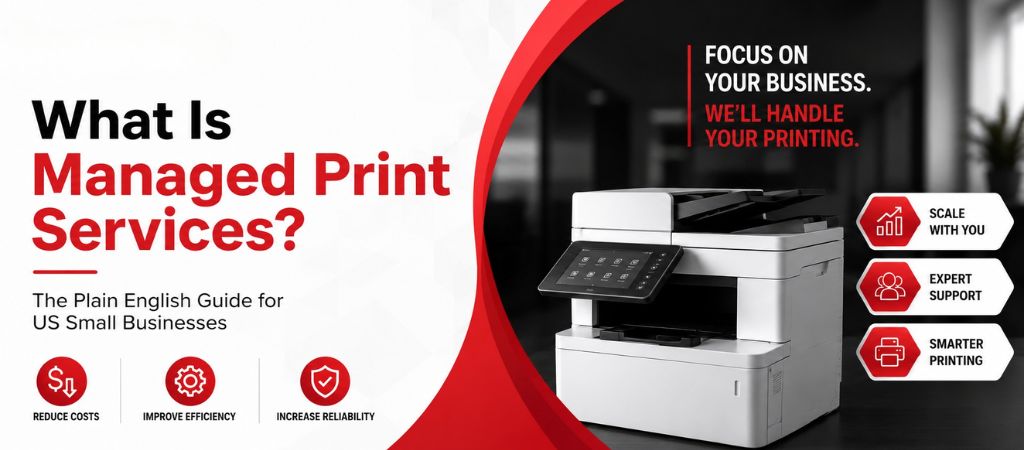
Managed print services (MPS) is when a third-party provider takes over complete management of your office printers — covering toner supply, maintenance, repairs, monitoring, and support — for a flat monthly cost per page. Instead of dealing with printer problems yourself, you pay one predictable monthly fee and your provider handles everything.
The office printers are causing headaches. Toner runs out unexpectedly. There’s always some kind of jam when you need that important document pronto, like right before a client meeting. Plus, the IT person ends up wasting time fixing these issues, which aren’t even true IT problems. By the end of the month, we have no idea what the business spent on printing.
Managed print services (MPS) were created to fix all that.
This guide explains what MPS is, what it covers, how it works, and if it’s a good fit for your business — in simple terms, with actual costs included.
What Is Managed Print Services?
Managed print services mean letting a specialist provider handle your entire print setup. This includes keeping an eye on printers, refilling toner before it runs out, fixing problems, and offering support if anyone hits a snag.
You just pay one monthly fee, generally based on how many pages you print, and they take care of everything else. No more unexpected repair bills or last-minute toner hunts, and staffers can stop stressing over printer mishaps.
In the U.S. tech scene, folks use both “managed print services” and “MPS” interchangeably. Companies of all sizes benefit too, whether it’s a small five-person law firm or a large 200-person business with printers all over the place.
KEY FACT: U.S. businesses typically spend between 1 to 3 percent of their yearly revenue on printing-related expenses. Often, folks don’t realize how much they’re spending since these costs get spread out across toner, repairs, employee time, and IT help—rarely seeing all these expenses together in one spot.
What Does Managed Print Services Include?
A standard MPS contract from Ovron Inc covers the following:
| Service Component | What It Covers | Why It Matters |
|---|---|---|
| Toner and supplies management | Toner is automatically reordered and delivered before you run out | No more emergency orders or mid-job toner shortages |
| Preventive maintenance | Scheduled service visits to all managed printers | Fewer breakdowns, longer device life |
| Repairs — parts and labor | All repairs covered at no extra charge | Eliminates unpredictable repair bills |
| 24/7 remote monitoring | Software tracks device health and alerts on issues | Problems caught before they cause downtime |
| Printer helpdesk support | Phone and remote support for all printer problems | Frees your staff from printer troubleshooting |
| Driver and firmware updates | All managed devices kept current | Prevents driver-caused offline and error issues |
| Monthly cost reporting | Per-page cost and volume by device and user | Full visibility into what printing actually costs |
| Print security | User authentication, data encryption on devices | Protects sensitive documents from unauthorized access |
What MPS Does NOT Include
It’s important to be open about what’s not covered in your contract, not just what is. Standard MPS contracts usually exclude these things:
- Printer hardware — new devices are usually leased separately or purchased outright unless your contract specifically includes hardware
- Paper — toner and ink are managed by MPS, but paper supply remains your responsibility
- Non-print IT support — network issues, computer problems, and other IT tasks outside the print environment are separate
- Physical damage from accidents or misuse — damage from drops, spills, or operator error is generally excluded
- Specialty media — unusual substrates like thick cardstock or custom label stock may not be included
NOTE: We always walk through exclusions in plain language before you sign anything. No surprises. Our contracts are written in plain English — no technical jargon.
How Managed Print Services Works — 4 Steps
Managed print services, or MPS, follow these four simple steps:
Step 1: Print Environment Assessment
Your MPS provider jumps right into your setup and audits it. They count devices, check monthly printing, and look at toner and supply spending too. Also, they examine the age and state of the gear and find any inefficiencies. Take Ovron Inc., for example; they offer this service free, and it typically only takes about an hour or two for small firms.
Step 2: Program Design
The monitoring software is installed on all devices, and supply levels are set. Plus, your team receives the helpdesk contact information. Typically, this setup takes just one day, and your operations won’t be disturbed at all.
Step 3: Implementation
Monitoring software gets installed on every device, and supply levels are set. Your team also gets your helpdesk contact info. It usually only takes a day, and your business won’t be interrupted at all.
Step 4: Ongoing Management and Reporting
Your provider will keep an eye on the devices around the clock from there. So, they’ll make sure to restock supplies before you run out and handle any service issues. Every month, you get a detailed report breaking down all the services, including the cost per page for printing. Feel free to reach out if you have any questions – this way, you can concentrate on running your business.
Who Needs Managed Print Services?
MPS is the right fit for businesses that meet most of these criteria:
- you’ve got two or more printers in regular use
- your monthly prints come to 3,000 pages or more.
- Plus, if an owner, office manager, or IT person spends time sorting printer troubles, MPS might be a good idea.
- Also, consider it if you’ve had a printer glitch that messed up work in the past three months.
- Lastly, if you can’t pin down your spending on toner, fixes, and printer support each month, MPS could simplify that for you.
Industries where MPS delivers the most value for US small businesses:
| Industry | Why MPS Fits | Typical Monthly Pages |
|---|---|---|
| Law Firms | High-volume document printing, confidentiality requirements, no tolerance for downtime | 15,000–40,000 pages |
| Medical Offices | HIPAA compliance, patient records, prescription printing | 8,000–25,000 pages |
| Accounting Firms | Seasonal volume spikes, tax documents, client reports | 6,000–18,000 pages |
| Insurance Agencies | Policy documents, claim forms, client correspondence | 5,000–15,000 pages |
| Schools and Nonprofits | High volume, tight budgets, cost predictability critical | 10,000–30,000 pages |
| Corporate Offices | Multi-printer environment, IT resources better spent elsewhere | 8,000–50,000 pages |
MPS vs. Managing Printers Yourself
Most businesses managing their own printers are spending more than an MPS contract would cost — they just can’t see it because the costs are spread across multiple budget lines.
| Cost Category | Self-Managed | Managed Print Services |
|---|---|---|
| Toner/ink purchases | Reactive — order when empty, often overpay | Automatic — delivered proactively at optimal price |
| Repair costs | Unpredictable — $150–$400 perIncluded in monthly flat rate | Included in monthly flat rate |
| IT staff time | 2–5 hours/month on printer issues | Zero — handled by MPS provider |
| Monitoring | None — problems found when they happen | 24/7 automated — problems found before failure |
| Monthly cost | Variable and unknown | Fixed and predictable |
| Reporting | None | Monthly report per device |
How Much Does Managed Print Services Cost?
MPS uses a cost-per-page system. You pay one flat fee per page printed that includes toner, maintenance, repairs, and support.
- Black-and-white pages run from $0.010 to $0.028, while color pages go from $0.055 to $0.16.
- For instance, an office of 20 people printing 8,000 pages a month will spend around $160 to $320 with MPS.
For more detailed info on how different sized businesses are charged, check out this guide: managed print services cost – what US businesses actually pay in 2026.
How Ovron Inc Delivers Managed Print Services?
Ovron Inc provides managed print services to SMBs across the US. Based in Plano, Texas, they help local clients in the Dallas-Fort Worth area on-site. They also offer remote monitoring for folks anywhere else in the country.
| What Makes Ovron Different | Details |
|---|---|
| Multi-brand support | We manage HP, Canon, Brother, Epson, Xerox, Lexmark, Ricoh, Konica Minolta, Kyocera, and Sharp devices — whatever you already own |
| SMB-focused | We specialize in businesses with 5–200 employees — not Fortune 500 enterprises |
| Transparent pricing | We publish real pricing ranges. No ‘call for a quote’ games. |
| Written agreements | Every engagement starts with a plain-English service agreement — no jargon, no surprises |
| Free assessment | We assess your print environment at no charge and tell you honestly whether MPS will save you money |
| DFW on-site + nationwide remote | Local technicians in DFW. Remote support for US businesses everywhere else. |
Frequently Asked Questions
It means letting a company manage your office printers. They’ll deal with things like toner, fixing machines, and keeping an eye on everything. You just pay them a set amount each month for every page printed.
No, it isn’t. Leasing is when you’re paying to finance the actual printer. With managed print services, or MPS, the company handles the management and support of printers you either own or lease somewhere else. So, MPS is focused on providing service rather than helping with hardware costs. Though, some MPS deals might throw in hardware too.
Most small businesses can get it up and running in just one workday. Assessments usually only take an hour or two. Then, software is installed and the whole thing is set up by the end of that first day or the next morning.
Yes, MPS can handle printers from different brands. Ovron Inc does this for all the big names like HP, Canon, Brother, Epson, Xerox, Lexmark, Ricoh, Konica Minolta, Kyocera, and Sharp – no matter what kind of printer you have.
If your printer stops working under MPS, you just call the Ovron helpdesk. They either fix things remotely or send out a technician. The company covers parts and labor too, so you don’t pay extra for repairs.
For most US small businesses printing 3,000+ pages/month with 2+ printers, yes — MPS typically saves 25–40% compared to self-managed printing. For businesses with a single printer printing fewer than 1,000 pages/month, a maintenance plan may be more appropriate. We will tell you honestly during our free assessment.
Conclusion
Managed Print Services cuts down costs and boosts small businesses. It does this by keeping printing easy and stress-free. No more worrying about running out of toner or high repair bills. With this service, you get a consistent, handled solution. It saves time, bumps up efficiency, and allows staff to concentrate on the business instead of printer troubles.
Table of Contents


