API integration sounds like you need a computer science degree to understand. Api integration is really like plumbing, not, like magic. Here is what an integration really does between two tools. It lets the tools talk, share data and automate tasks. Before you pay for custom development you should ask questions about integration, such, as cost, timeline and support.
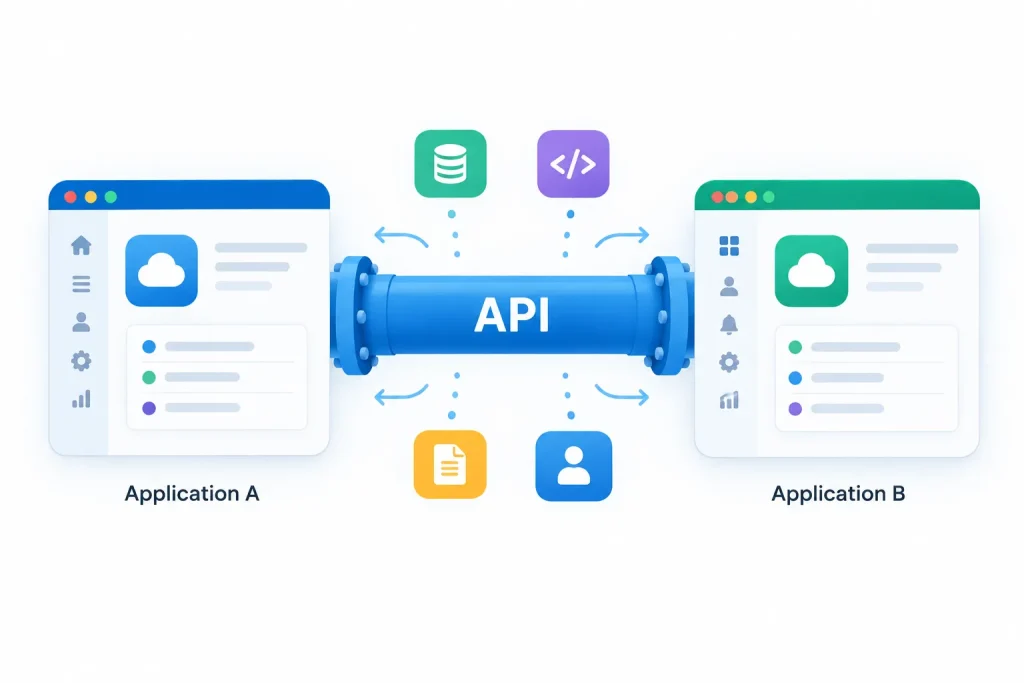
An API, which stands for Application Programming Interface is a method that lets one software program ask for data or start an activity inside another software program. I find that this is the idea, behind all the technical jargon. If your accounting software updates automatically whenever a sale is recorded in your point‑of‑sale system that is an API integration. An API integration means that the two tools have a channel to communicate and a developer has constructed the exact link that lets your specific workflow run smoothly.
API integration connecting online store and accounting software
A Concrete API Integration Example
Picture your store and your accounting software working side, by side. Without an integration each sale must be entered manually into the accounting system and the online store and the accounting software do not share data automatically. With an integration the stores API sends the sale information directly to the accounting softwares API at the moment a purchase happens. There is no need, for entry. There is no delay. There is no risk of a typo. The “integration” is the specific working connection that someone set up between those two APIs. It was made for that purpose.
Three Ways API Integration Actually Gets Built
Approach
What it means
When it fits
Pre-built integration
A ready-made connection between two popular tools, often set up with a few clicks
Whenever one exists for your specific tools — check before assuming custom work is needed
Middleware/automation platform
A third-party service (like Zapier or Make) that connects tools without writing code
Good for straightforward workflows between tools that don’t have a direct pre-built integration
Custom-built integration
Code written specifically to connect your tools in a way no existing option covers
Genuinely unique workflows, or when volume/complexity exceeds what middleware handles well
Check for a pre-built option before assuming you need custom development
A large share of common business workflows — connecting a CRM to email marketing, a store to accounting software, a scheduling tool to a calendar — already have pre-built integrations available. Searching for your specific tool names plus “integration” is worth doing before requesting or paying for custom development.
Questions to Ask Before Paying for Custom API Integration Work
Does a pre-built integration or middleware option already exist? – This is almost always cheaper and faster than custom development — worth ruling out first.
What happens if one of the connected tools changes its API? APIs occasionally change, which can break an integration — ask how maintenance and updates are handled, not just the initial build.
Who owns the integration code, and can it move to another developer? For custom-built integrations specifically, this affects your flexibility if the working relationship changes later.
What’s the actual cost comparison — one-time build vs. ongoing middleware fee? Middleware platforms typically charge a recurring fee based on usage; custom development is usually a larger upfront cost with lower ongoing cost — worth comparing over a realistic time horizon.
Most modern business software offers an API. That is not true, for all. Some older or very niche tools do not have an API and that limits integration options no matter how much money you spend.
A trusted middleware service usually has security measures. It’s a good idea to look at what data goes through the service. Make sure that data matches what your business needs to handle especially when it comes to information.
If a middleware platform cannot manage the amount of data the speed. The specific logic your workflow demands. Or if there is no existing integration that fits and the connection is truly one-of-a-kind for your business. Then custom development becomes a choice, than the simpler alternatives.
Conclusion and Next Steps
The way an API works is more complicated than what’s described here but the main question, for a business owner is usually easier to understand: Does a connection already exist that links our tools or do we need to build this connection? Answering that first saves businesses from paying for custom work that they did not actually need. That is the practical core of any API integration decision.